Whiteout Survival 2026 Guide: How to Check Your State and Server with Ease
In the frostbitten world of Whiteout Survival, knowing your exact coordinates isn't just a matter of pride—it's a matter of survival. As alliances clash and territories shift in the game's dynamic 2026 landscape, being aware of your 'state' or server is the first step in crafting a winning strategy. It's the digital zip code that defines your battleground, your allies, and your rivals. Whether you're a fresh recruit just starting your journey or a seasoned veteran planning a strategic migration, pinpointing your location is as crucial as managing your furnace. Luckily, the game provides a couple of straightforward, in-game methods to get this intel. Let's dive into the how-to, and maybe pick up a few pro tips along the way.
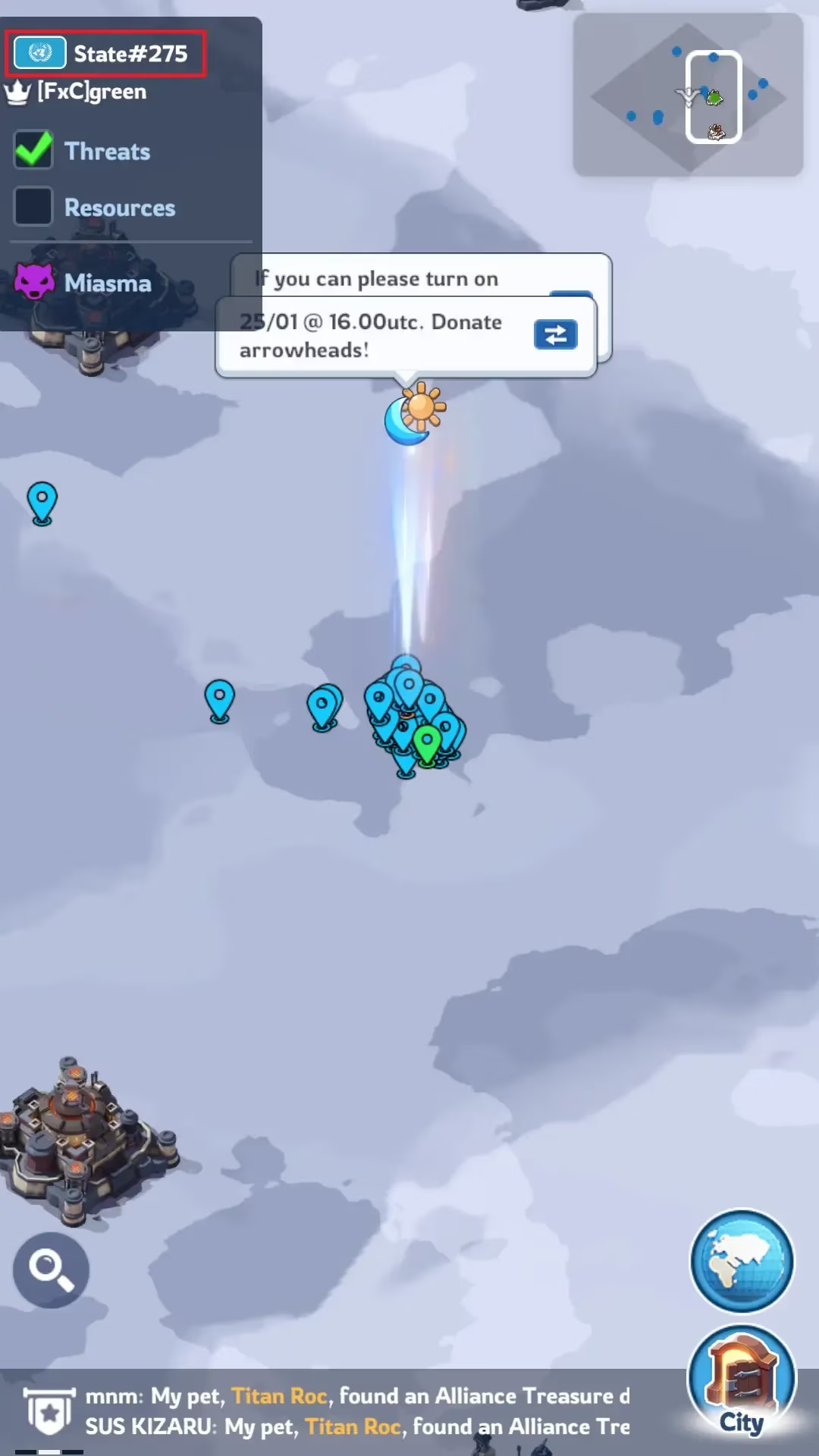
Method 1: The Profile Check - Your Character's ID Card
This is the most direct route, straight from the source—your avatar. Think of it as checking your driver's license. Here’s the step-by-step breakdown:
-
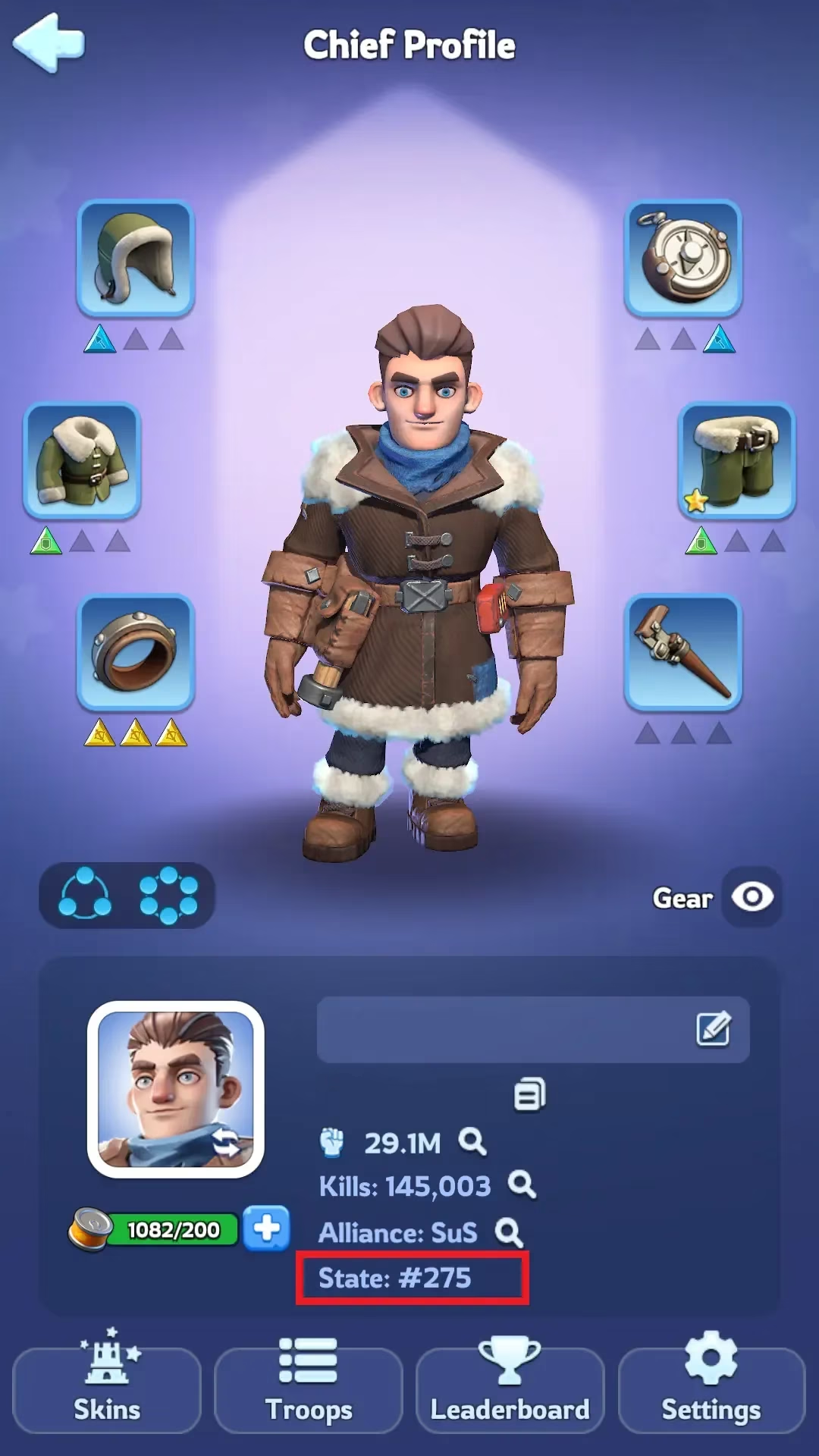
Locate Your Avatar: On the main game screen, direct your attention to the top-left corner. You'll see your character's portrait or icon. Give that a tap.
-
Enter the Profile Tab: Tapping your profile opens a detailed dossier about your in-game persona. This screen displays everything from your power level and hero lineup to your achievements.
-
Find Your State Info: Scan the information presented. Your state number (which corresponds to your server) is clearly listed, typically in a section detailing your affiliation. Pro Tip: It's usually positioned just below your Alliance name, making it a quick find. This method is perfect for a fast, no-fuss verification without leaving your base interface.
Method 2: The World Map Recon - A Broader Perspective
If you prefer a more contextual view that ties your location to the greater geopolitical landscape of the game, the world map is your best friend. This method is like pulling up a GPS while also getting a live feed of who controls what. Here's the drill:
-
Access the Global View: Look to the bottom-right corner of your screen. You'll find a button labeled "World." Tap it to launch the expansive world map.
-
Zoom Out for Context: Once the map is open, use a pinch-out gesture or the zoom-out button to get a broader view of the continent. This action triggers a key UI element.
-
Read the Intel Overlay: As you zoom out, a small information box or overlay will materialize in the top-left corner of the map screen. This isn't just fluff—it's vital intelligence.
-
Your State/Server: This is prominently displayed.
-
Sunfire Castle Controller: The overlay also shows which Alliance currently holds dominion over the prestigious and strategically vital Sunfire Castle in your state. Knowing this is a game-changer for understanding local power dynamics.
-
Why Knowing Your State Matters in 2026
You might be thinking, "It's just a number, what's the big deal?" In Whiteout Survival, that number is everything. Here’s the lowdown:
-
Alliance Mechanics: You can only directly interact—through chat, trading, or joining—with players and alliances within your own state. It's your primary community and battlefield.
-
Strategic Migration: The game allows for state migration, but it's a complex process with rules. You need to know your origin point to plan any destination! Server age, activity level, and whale concentration all vary.
-
Event Participation: Many cross-server events and the infamous SvS (State vs. State) battles are organized based on state groupings. You can't prepare for war if you don't know which army you're in!
-
Resource and Strategy Planning: The meta, dominant alliances, and resource scarcity can differ wildly from state to state. Your local intel dictates your long-term growth strategy.
Pro Gamer Moves & FAQs
Let's address some common queries with a 2026 perspective:
Q: Can I change my state?
A: Yes, but it's not a simple hop. The game offers State Migration events or items, but they come with strict requirements (like a minimum power level) and cool-down periods. It's a major strategic decision, not a casual teleport.
Q: What does 'State Age' mean for me?
A: State age refers to how long ago your server was launched. This is huge. Older states tend to have:
-
Higher Power Caps: Players have had more time to grow, so the top players are incredibly strong.
-
Established Hierarchies: Alliances are well-entrenched, making it harder for new groups to rise.
-
Different Event Cycles: They might be in later stages of the SvS bracket or participating in end-game content.
Newer states offer a more level playing field but are often more chaotic and fiercely competitive in the early game rush.
Q: I see 'Sunfire Castle' controlled by an alliance. What's that about?
A: That's the crown jewel of your state! The alliance controlling the Sunfire Castle gets significant buffs and privileges. It's the ultimate symbol of dominance in your server's politics. If you're looking for the most powerful group to join or the biggest threat to challenge, that overlay info from Method 2 points you right at them.
In the end, keeping tabs on your state is Whiteout Survival 101. It’s the foundational knowledge that informs every other decision you make, from which alliance you apply to, to how you invest your resources for the long haul. Don't be that player who's lost in the blizzard—know your server, know your battlefield. Now get out there and conquer! 🏔️⚔️